Upper small dial
Pre-delay
The delay between the dry sound and the start of the reverb. Increase it to separate words or drum transients from the reverb tail.
Start at60 ms
Available for Windows · 30-day free trial
Give vocals and instruments their own space. Four reverb characters, a dense stereo tail and precise control over the reflections, tone and movement.
€3.99one-time
Try free for 30 daysOr get all eighteen plugins with Spark Complete for €27.99. Your free trial starts on activation. No card, no automatic charge.
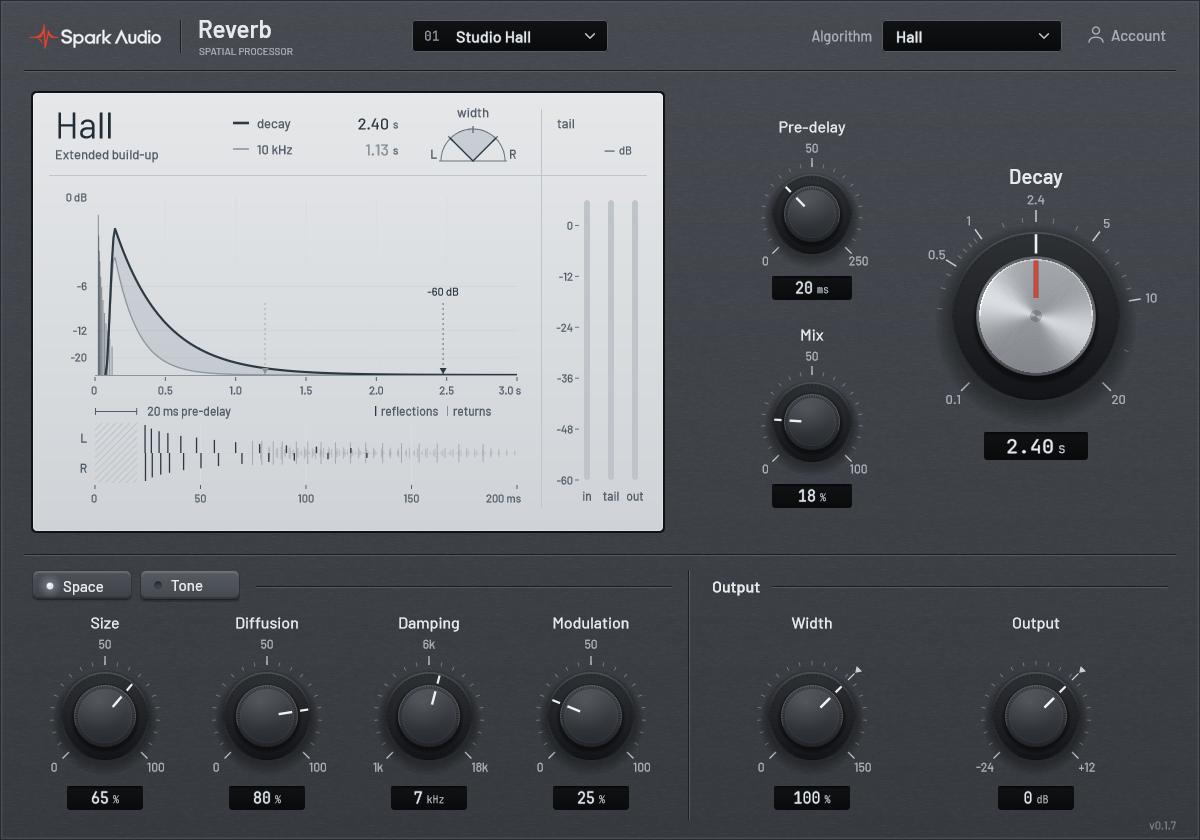
Example settings for drums, lead vocals and pads.
Use a short Room setting on the drum bus to add ambience. Start with a low Mix and compare with the dry kit.
Starting point
Choose Plate for a vocal reverb. Add Pre‑delay to separate the dry words from the reverb and lower Damping to let the high frequencies fade sooner.
Starting point
Choose Hall with a long Decay for sustained pads or strings. Raise Width above 100%, then adjust Mix while checking that chord changes remain clear.
Starting point
14 automatable parameters. Time and mix stay in view while Space and Tone give you the details.
Upper small dial
The delay between the dry sound and the start of the reverb. Increase it to separate words or drum transients from the reverb tail.
Start at60 ms
Main dial
How long the reverb continues after the sound stops. Shorten it if tails overlap the next phrase or obscure other parts.
Start at1.6 s
Lower small dial
The balance between the dry sound and the reverb. On an insert, a little goes a long way. On an effects send, turn it all the way to wet and set the amount with the send level instead.
Start at15%
Space page
Choose Room, Plate, Hall or Chamber. Size changes reflection spacing while Decay stays independent. Diffusion controls tail density, and Modulation adds slow spatial movement.
Start atPlate
Space and Tone pages
Damping controls high-frequency absorption in the tail. Low cut and High cut shape the wet path without changing the dry signal. Early / late balances the initial reflections against the late tail.
Start at6.5 kHz damping
Space and Tone pages
Width adjusts the wet stereo image from mono to 150%. Ducking makes room for the input and lets the tail return between phrases. Output gain controls the final dry and wet level.
Start at100% width
Switch to Tone for filtering, reflection balance and ducking. The main time and mix controls stay in place.
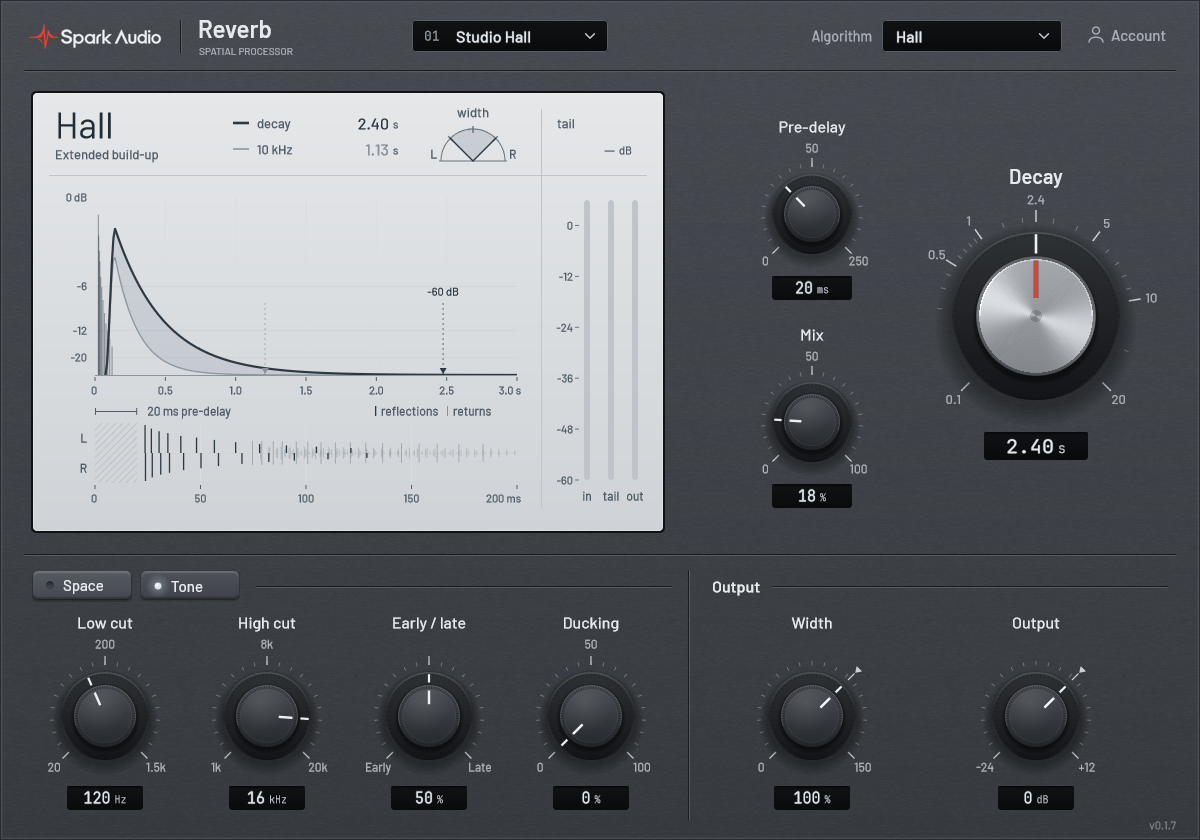
Check the reverb in the full mix, especially between phrases.
A native plugin built around an original 16-line feedback delay network. The dry path adds no latency.
Go to supportExplore the eighteen Spark plugins. Each has its own 30-day free trial.
Try Reverb free for 30 days. Your trial starts on first activation, once per product, account and computer.
Download Reverb for Windows