
Sub and 40 Hz
Shape the foundation with dedicated Sub and 40 Hz controls. Start with small moves and check how the low end sits against the kick and bass.
Free trial available
Weight below. Air above. Shape the whole track with five fixed tone bands, then open the top end with a selectable Air shelf.
€5.99one-time
Try free for 30 daysOr get all eighteen plugins with Spark Complete for €27.99. Your free trial starts on activation. No card, no automatic charge.
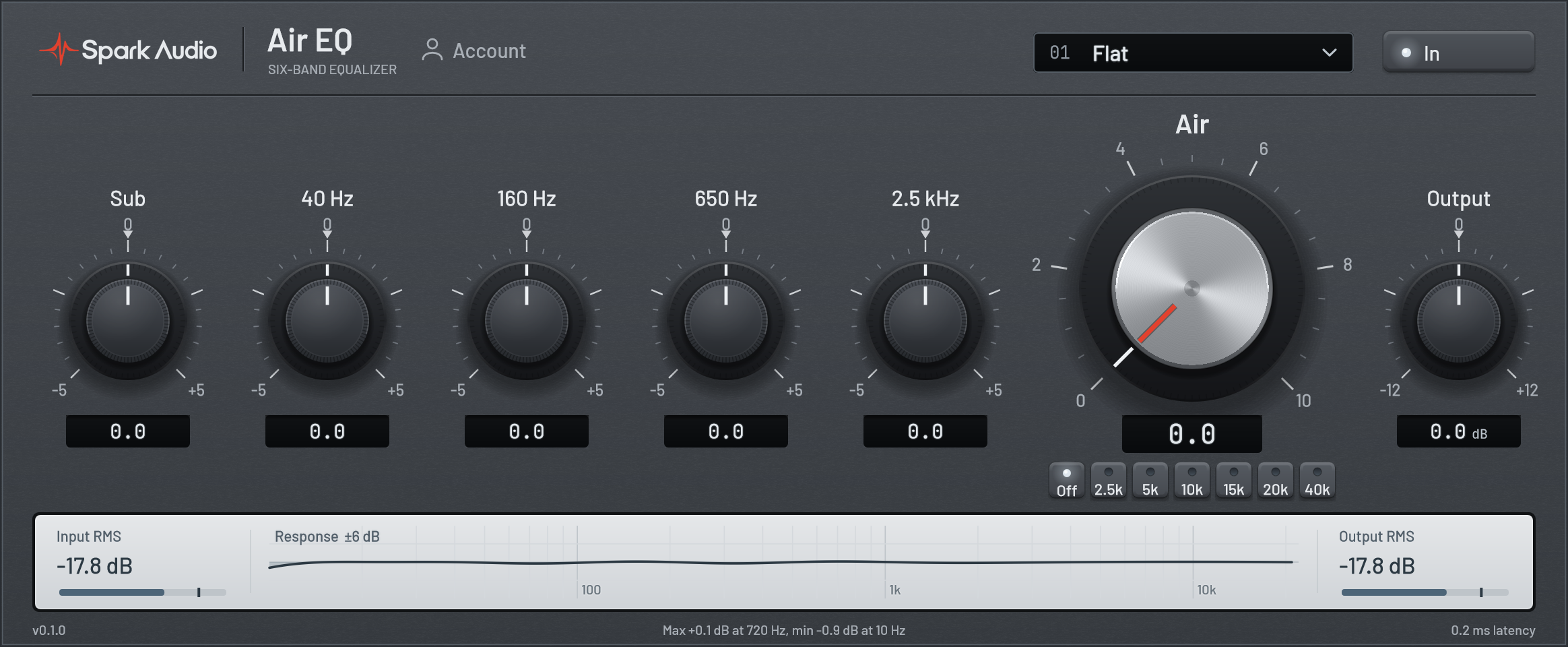
Fixed bands for broad tonal balance, with a separate shelf for the top end.
Shape the foundation with dedicated Sub and 40 Hz controls. Start with small moves and check how the low end sits against the kick and bass.
Add body or reduce low-mid buildup. These broad bands help place vocals and instruments without searching through a continuous frequency range.
Adjust the upper-mid shelf to bring a part forward or soften its presence. Balance this band against Air when adding brightness.
Choose Off, 2.5, 5, 10, 15, 20 or 40 kHz. The higher positions create a broader lift toward the audible top end; they do not require an ultrasonic audio source.
Raise Air from 0 to 10 to blend in the selected shelf. Start gently on a vocal, then check consonants and cymbals in the full mix.
The parallel bands also affect overall level. Trim Output by up to 12 dB in either direction and use In to compare at a similar listening level.
Start with the five tone bands at their centre positions and Air at 0. Shape the body and presence first, then select an Air frequency and raise Air gradually. The tone dials use −5 to +5 panel positions rather than direct dB values. The bands interact in a parallel network, so match the output level when comparing.
Start a 30-day Air EQ trial. No card required.
Start free trial