Input
Add 0 to 24 dB before the limiter. More input produces more reduction when peaks reach the ceiling. Input starts at 0 dB.
Free trial available
Catch the peaks. Keep the movement. Look ahead to incoming transients, set your ceiling and shape how the level recovers.
€4.99one-time
Try free for 30 daysOr get all eighteen plugins with Spark Complete for €27.99. Your free trial starts on activation. No card, no automatic charge.
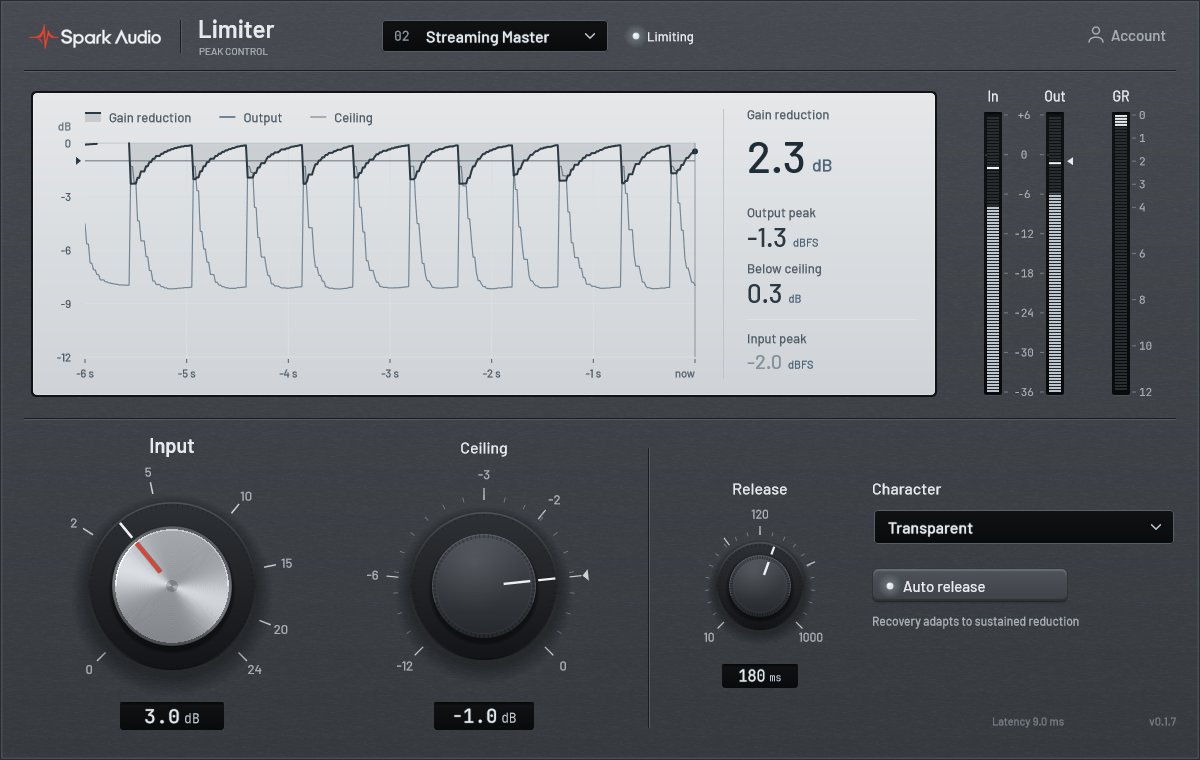
Use a little reduction to catch stray peaks, or push the input for a denser sound. Listen for what the music needs.
Place Limiter after your mix processing. Set the ceiling, then raise Input until the loudest sections receive the reduction you want. Check quiet passages as well.
Start gently
Compare at the same listening level so a louder signal does not hide changes to the sound.
Keep an occasional snare hit, pluck or vocal peak from jumping out. Leave room below the ceiling so the limiter works only when needed.
Watch the reduction
A few isolated peaks call for a different response from a dense, sustained passage.
The stereo channels share their gain reduction, so centered vocals and low end move together. Both mono and stereo tracks are supported.
Check the balance
Compare the image before and after limiting, especially when one channel contains a louder transient.
A focused layout puts peak control and gain reduction in view together.
Add 0 to 24 dB before the limiter. More input produces more reduction when peaks reach the ceiling. Input starts at 0 dB.
Set the output ceiling from -12 to 0 dBFS, starting at -1 dBFS. An internal 0.3 dB reserve accounts for reconstruction, so sample peaks can sit below the setting.
Set recovery from 10 to 1000 ms, starting at 120 ms. Adaptive Release adjusts the recovery to the material and is enabled by default.
Lookahead gives the limiter time to respond before a peak reaches the output. Always-on 8× FIR oversampling processes the audio at eight times your project’s sample rate.
Choose Transparent or Punch to change the limiting response. Compare both on the loudest passage at matched listening levels.
See six seconds of reduction history above the Input and Ceiling knobs. Eight factory presets give you starting points for different sources.
A limiter can control peaks. It cannot fix every balance problem earlier in the mix.
Stereo-linked lookahead peak limiting for mono and stereo tracks. Processing latency is reported to your DAW for compensation.
Go to supportEighteen plugins ready to try. One consistent family.
Start a 30-day Limiter trial. No card required.
Start free trial