Time and Sync
Choose from 12 tempo divisions, including dotted and triplet rhythms. Switch to free time for 1 to 4000 ms. Sync follows the session tempo supplied by your DAW.
Timing1/8 dotted
Available for Windows · 30-day free trial
Give every repeat a place in the track. Crisp digital echoes, darker tape character or a soft diffuse trail, with stereo movement and ducking that leaves room for the dry sound.
€3.99one-time
Try free for 30 daysOr get all eighteen plugins with Spark Complete for €27.99. Your free trial starts on activation. No card, no automatic charge.
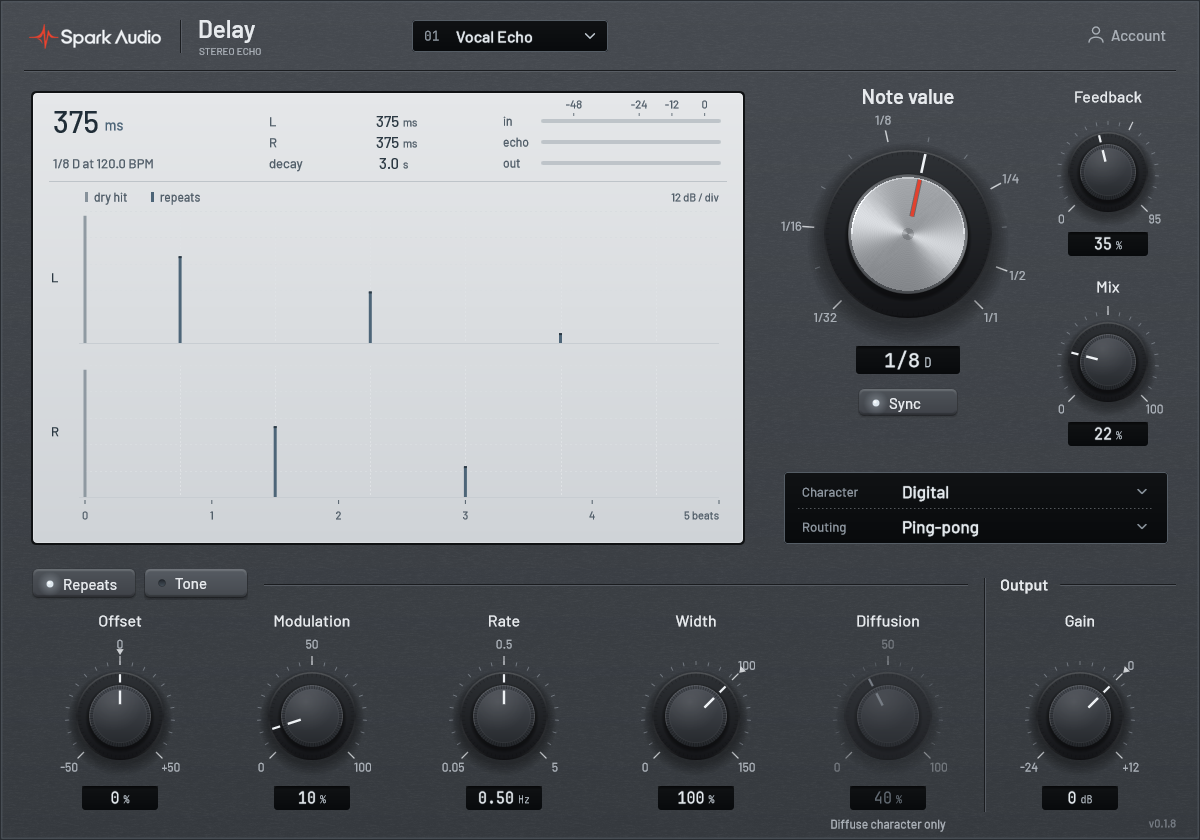
Example settings for guitar echoes, vocal throws and slapback.
A picked part with some space in it. Set Time to 1/8 dotted and the repeats land between the notes you played, so a simple line turns into a rolling pattern. Keep Mix below the dry part, so the notes you played still lead.
Starting point
Echo only the last word of a line. Put Delay on an aux with Mix at 100%, then automate the send up for that one word. It bounces left and right and fades under the next phrase, while the rest of the vocal stays dry and up front.
Starting point
Switch Sync off and set Time around 100 ms for a short repeat behind the vocal. Keep Feedback near zero and blend it in with Mix.
Starting point
Start with the rhythm, then decide how the echoes move and fade.
Choose from 12 tempo divisions, including dotted and triplet rhythms. Switch to free time for 1 to 4000 ms. Sync follows the session tempo supplied by your DAW.
Timing1/8 dotted
Feedback controls how long the repeats continue. Mix balances the dry sound against the echo. Use 100% Mix on an aux send and set its level with the send control.
Starting point35% / 25%
Digital keeps a clear repeat. Tape adds a darker, driven character. Diffuse spreads the repeats into a softer texture, with a dedicated Diffusion control for that character.
Three voicesDigital / Tape / Diffuse
Low cut clears weight from the repeats; high cut takes the edge off. Filtering inside the feedback path lets the tone develop as the echoes continue.
Shape the trailLow cut / High cut
Adjust modulation depth and rate to add movement to the repeat timing. Subtle settings loosen a static echo; stronger settings make the pitch motion part of the effect.
MotionDepth / Rate
Choose stereo or ping-pong routing, then adjust width and the left/right offset. Ducking lowers the wet signal while the input is active; Release sets how it returns. Output sets the final level.
PlacementWidth / Offset / Ducking
The Tone page brings filtering, drive and ducking together. Time, Feedback and Mix stay within reach.
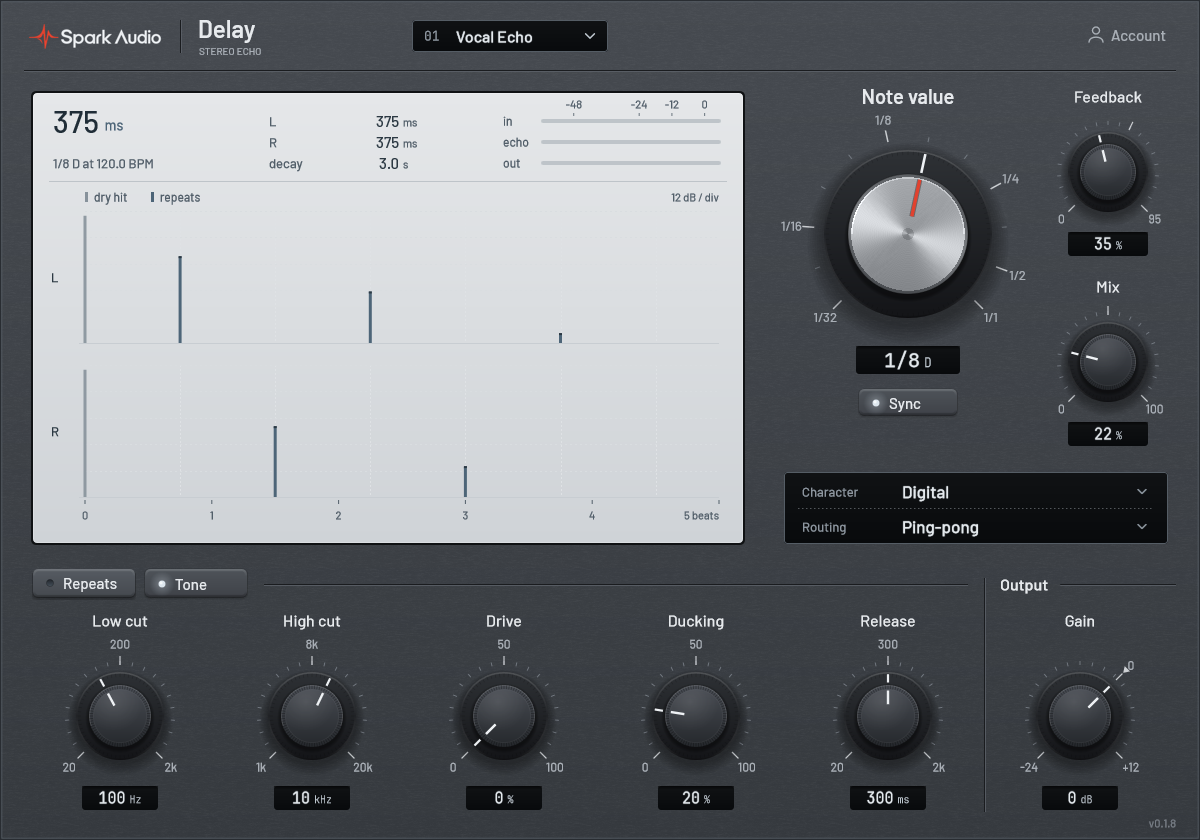
Adjust timing, feedback and send level to fit the arrangement.
A native stereo delay for Windows, with host automation and a resizable interface.
Go to supportExplore the eighteen Spark plugins. Each has its own 30-day free trial.
Try Spark Delay free for 30 days. Your trial begins on activation.
Download Delay for Windows