
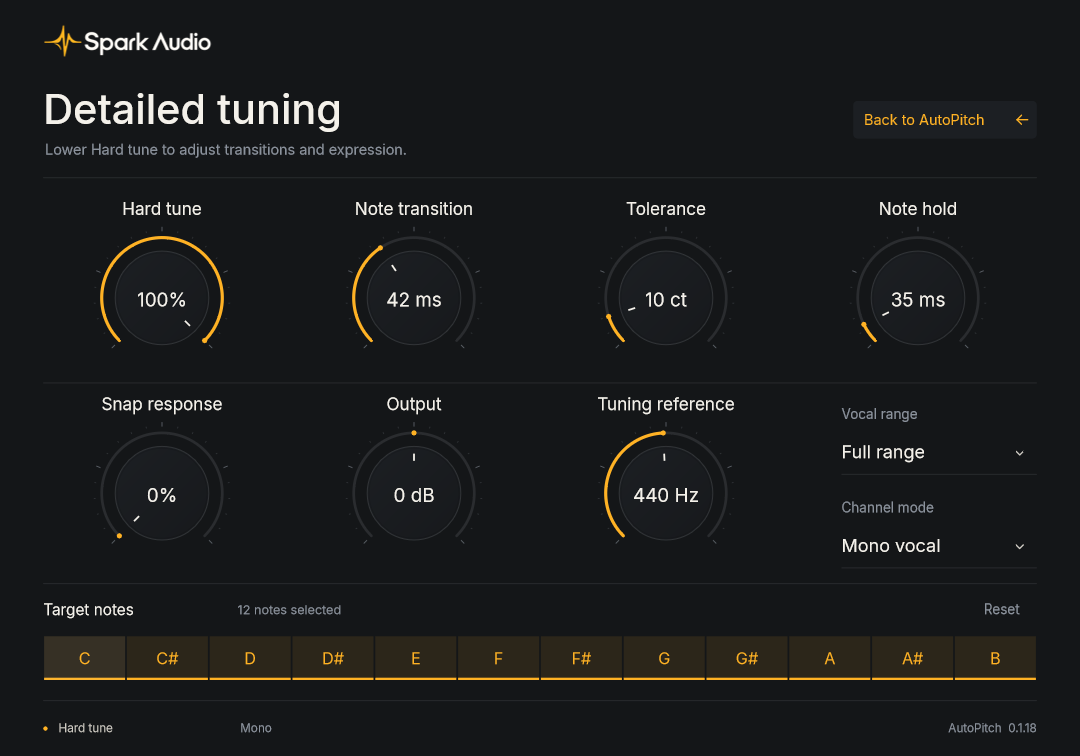
What Hard tune at 100% does
At 100%, Hard tune overrides Retune speed, Humanize, Note transition, Tolerance and Note hold. That is the obvious, snapped sound. For something natural, start from Hard tune 0%, Retune speed 35 ms and Correction 85%.
Try AutoPitch free for 30 days on Windows. Available as a VST3 plugin and standalone app. Compressor, EQ, Delay and Reverb are coming soon.
AutoPitch includes correction, retune speed and humanize controls. Four more plugins are in development.
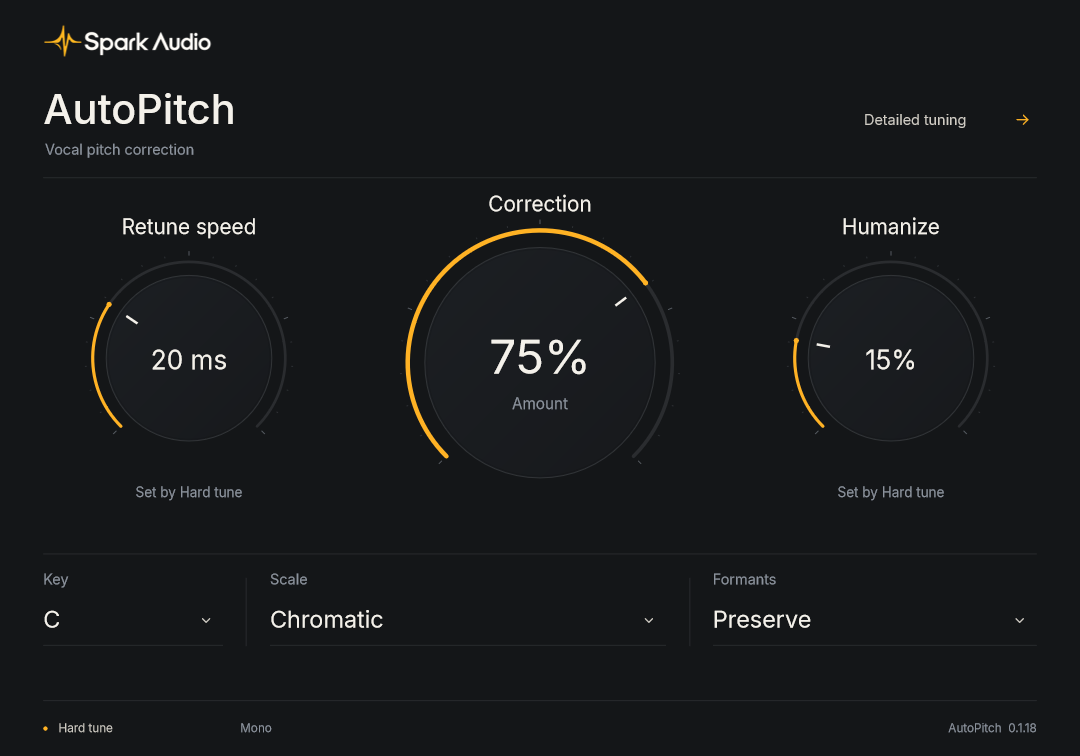
Correct vocals to a chosen key and scale. Adjust the strength for subtle correction or set Hard tune to 100% for a pronounced tuning effect.
Coming next: Compressor for steadier dynamics, and EQ for shaping a vocal, guitar or bass. Both are in development.
Delay and Reverb are in development, with tempo-synced echoes and room, plate and hall effects. Their product pages show the planned features.
Download AutoPitch or view the previews for our upcoming plugins.
Vocals
Subtle vocal correction and hard tuning.
Free trial
Dynamics
Dynamic range control
Coming soon
Tone
Three-band EQ
Coming soon
Space
Tempo-synced echoes, with ping-pong and a softer tape tone.
Coming soon
See the controlsSpace
Room, plate and hall reverb with tone controls.
Coming soon
See the controlsBundle
All five plugins. Coming soon.
Coming soon Available after the full collection launches
Preview the collection
At 100%, Hard tune overrides Retune speed, Humanize, Note transition, Tolerance and Note hold. That is the obvious, snapped sound. For something natural, start from Hard tune 0%, Retune speed 35 ms and Correction 85%.
New instances fold left and right into one centred voice before tuning. If you want to keep a stereo recording’s width, choose Stereo under Channel mode in Detailed tuning.
Two engines for the voice as the notes move. Shift, Spark’s own waveform shifter and the default for new instances, lets the formants move with the pitch. Preserve holds them in place. Try both on the same phrase.
AutoPitch delays the audio by roughly 50 ms or more, depending on sample rate, with either Formants setting. It reports that to your DAW so playback lines up, but you’ll hear it when monitoring live.
Try AutoPitch free for 30 days, starting on plugin activation. One trial per account and device. No card required. Paid purchases are not open yet.
Vocal pitch correction with adjustable strength and hard tuning. VST3 plugin and standalone app.
$12.99planned price · purchases not open
Evens out a vocal, a bass line or a strummed acoustic so it sits steady in the mix.
Coming soon
Three bands and a low cut. Take the boxiness out of a guitar or add a little air to a vocal.
Coming soon
Echoes that follow your session tempo, with ping-pong and a softer tape tone.
Coming soon
Room, plate and hall reverb for vocals and instruments.
Coming soon
AutoPitch, Compressor, EQ, Delay and Reverb. The collection will follow when all five plugins are released.
Coming soon
Not yet. Spark plugins run on Windows 10 and 11, 64-bit.
VST3, 64-bit, on Windows. AutoPitch also comes as a standalone app, which is handy for trying settings on a live input without opening your DAW.
30 days free, starting when you activate AutoPitch in the plugin. One trial per account and device. No card required. Paid purchases are not open yet.
Compressor, EQ, Delay, Reverb and Spark Complete are coming soon. They are not available for purchase or download yet. AutoPitch is the first release.
VST3 plugins live in C:\Program Files\Common Files\VST3. Once a plugin is there, rescan plugins in your DAW. The support page walks through it step by step.
30 days free, starting when you activate AutoPitch in the plugin. One trial per account and device. No card required.
Download for Windows