
Free plugin rack
Spark
Rack.
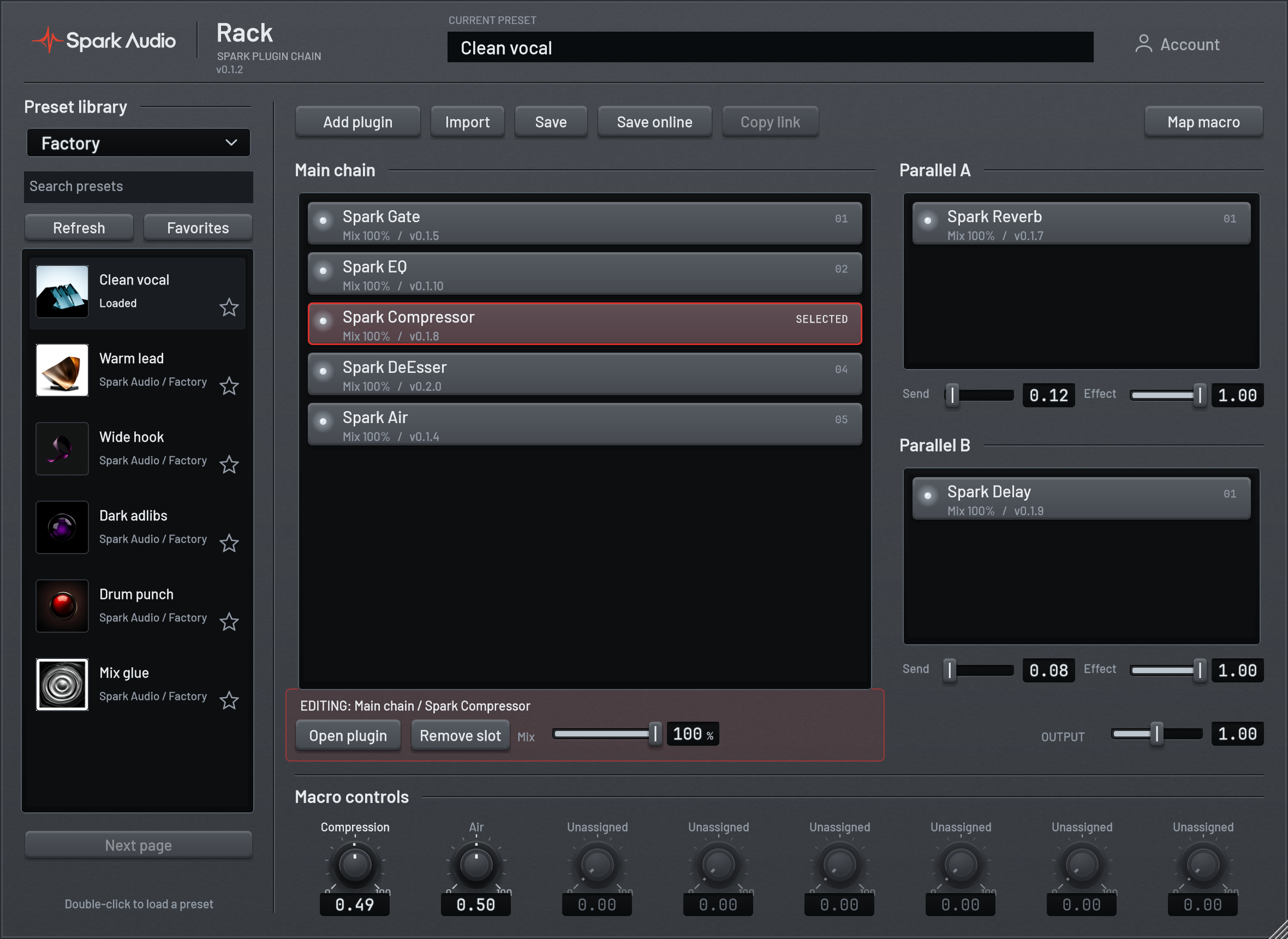
Build, save and share your Spark plugin chains.
Mac beta · VST3, AU + standalone. Manual DAW and online-library testing is still in progress.
Rack is free. Your Spark plugins need their own license or trial.
Factory presets
Six starting points, included in Rack.

Clean vocal

Warm lead
Wide hook

Dark adlibs

Drum punch

Mix glue
01 / BUILD
Add your plugins.
Load your installed Spark plugins and open their original interfaces. Drag slots into order, blend each effect, or move it to a parallel send.
02 / SAVE
Save the rack.
Save a local .sparkrack file or keep presets in your private library. Your DAW project stores its own copy, so a changed online preset never rewrites your session.
03 / SHARE
Share a preset.
Choose Public to submit your preset for review. Once approved, share its page with a link. Others can see the required plugins and download the settings.
Open the community library →Before you start
Is Spark Rack really free?
Yes. Rack has no purchase, subscription or trial timer. Your hosted Spark plugins still need their own license or active trial. Rack does not include the paid plugins.
Which plugins can I use?
All 18 Spark Audio VST3 plugins. Install them first, then choose Add plugin in Rack. Third-party plugins are not supported.
Do I need an account?
Local racks and files work offline without an account. Use your verified Spark Audio account to save online, publish presets and manage favorites.
What does a published preset contain?
Plugin settings, routing, mixes and macro mappings. It does not upload recordings, Spark Pitch captures, account credentials or plugin licenses.
What if a plugin is missing?
Rack marks the slot as missing and retains its settings. Install the required Spark plugin and reload the preset. Until then, that slot does not process audio.